
Reading Time: 12 Minutes
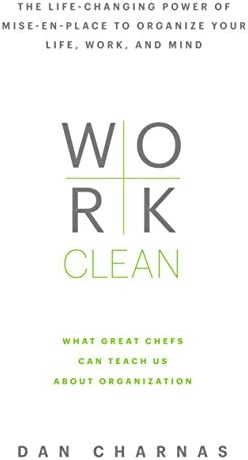
The Work Clean book offers the concepts of Michelin chef to knowledge work and teaches you to work clean in your digital environment and physical workspace. The author Daniel Louis Charnas is an American author, radio, and TV producer.
The books share mise en place concepts in a joyful storytelling manner. I enjoy reading the book while learning productivity.
First Course: The Power of Working Clean
Mise en place means put in place in French.
It is pronounced, “meh’s on plahhs.”
The definition is
The preparation and assembly of ingredients, pans, utensils, plates, or serving pieces needed for a particular dish or service period.”
Learning to Cook, Learning to Work
Working in the office is similar to kitchen work because
- Cooks work under pressure
- Chefs cannot waste their time, space, energy, and ingredients.
- Both professions must be very organized, so one can find where their ingredients or resources are located.
How does knowledge work and kitchen work different?
- Kitchen values craft over creativity
- Chefs cannot bring their work outside of the kitchen because there are no ingredients and cooking equipment at home.
- If we apply the same concept to knowledge work, work-life balance exists because you do not take your work outside of your office.
First Course: Values of Working Clean
Preparation
Chef lives a life where they need to prepare ingredients for dishes.
There cannot be any additional ones of an afterthought when you are cooking a dish. They prep before cooking the dishes. So, when they are focused on the process.
Process
Preparation and planning alone are not enough to create excellence. Chefs must also execute that prepared plan in an excellent way.
Presence
- Like chefs, knowledge workers should always live in the present.
- They were present means that you are mindfully productive, non-judgement, and aware of where you are focused.
- The presence focus skill is like a muscle.
- When you train your brain to focus more, you can find it easier to live in the present moment.
Second course: Ingredients of Working Clean
1. Planning is Prime
Principles
- Planning the sequence is everything
- You cannot make the sauce until you have to heat the stove or chop up the ingredients.
- Cooking is not like high school, where you can finish your essay in one night.
- The timelines and the recipes, macro-plan and micro-plan, represent the core of kitchen planning.
- When you plan, you must consider the big picture and tiny details.
- When you plan, you must consider the big picture and tiny details.
How to apply “Planning is Prime” to your life
Create a daily meeze
What is a Daily Meze?
It is a personal mise-en-place for your workday, a time to (a) clean your physical and virtual spaces, (b) clear your mind, and (c) plot your day.
Next, Schedule your action.
- An action is anything you plan to do in your day. Similarly, appointments are also actions, but it is time bounded. There are no differences.
- A task manager helps you collect and prioritize tasks.
- A calendar helps you to follow through with your daily commitments.
Plan the recipe for the plate first.
- Plan complex, multistep projects as chefs.
- Do with the end in mind.
- Just as some chefs begin a dish by drawing a plate for your projects, first envision the moment of delivery, then plan backward from it.
- What resources will you need to make it look, read, feel, or sound perfect?
- What time will you need?
- Have you accounted for possible delays, holidays, and disruptions?
- Have you given yourself time to inspect and correct?
What other things will you have to give up to deliver?
2. Arranging Spaces, Perfecting Movements
Principles
We arrange spaces to reduce resistance
- A chef perfects movement within the kitchen space.
- The chef has to know where the ingredients and equipment are located.
- The daily actions of a chef are like our life: repetitive.
- Minimize the time for finding resources or recreating lost work.
Applying “Arranging Spaces, Perfecting Movements” to real life.
Audit your space and moves
The purpose of doing this is to inspect your tasks. We can start small and as we experience about your working habits increases, we can make adjustment from there.
- List three tasks you find challenging to do.
- One physical task at home or work
- One digital job on digital devices
- One complex process or errand between home and work
- List one action you can do to lower the activation energy to finish the task.
Draw and build Your Work Station.
- Spend 5 minutes to draw your workspace
- Locate what is in front of you, on the side of your dominant hand and the other side of your non-dominant hand.
- Resources, inboxes, and outboxes should be located on the side of the non-dominant hand.
- Your pens, mouse, and devices should be on the dominant side.
- Look at your current workspace and see where things are.
- Then, arrange your workspace to match your ideal workspace with the lowest friction possible to get you started.
Cleaning Digital Clutter
- Choose your organization approach of files and notes.
- What note-taking apps are you using?
- Know where your apps are located on your phone and laptop, and you will link your automatic actions to tapping or clicking on those apps.
- Periodically check to see if you need to add of delete apps.
Perfecting your movements in digital space
- Learn all the keyboard shortcuts in apps you use the most.
- Automate digital tasks that you can.
- Services like Zapier helps a lot.
- Learn to type fast.
3. Cleaning As You Go
Principles
Committing to maintaining your system . Always be cleaning
- All systems are useless unless they are maintained.
- The real work of organization is about working clean.
- Working clean helps you to work and better because you can focus easily without distractions.
Applying “Cleaning As You Go” to Real Life
- Everything needs to be in its proper space. So we should maintain our system and return to where things belong.
- This means closing all your tabs, folders, and wand windows and quitting your apps on your computer after one work session.
- In your physical space, throwaways scrap paper, stickers, or put back pen in pots.
- Develop the habit of not starting a new project until you have finished the current ones.
- An unfinished work has no value until it is fully delivered in knowledge work.
- Have containers for little things like your wallet, phones, and pens.
4. Making First Moves
Principles
The present moment is worth more than a future
because current action sets processes in motion and unlocks others’ work on your behalf.
How to apply “Making First Moves” to Real Life?
Commit to using time to your benefit. Start now.
Differential Between Process and Immersive Tasks
- Immersive tasks require your full attention and energy. This is also called deep work.
- Example: write an outline for your new research paper and do research.
- Process tasks require less focus, but you have to start them.
- However, if you don’t finish process tasks, the later immersive lessons can be delayed.
- Those tasks include administration and errands.
- An example would be exporting and uploading a video.
- If I don’t do it, the consequence is that I will not upload the video. I need to start it, but it does not need my attention.
- After determining your tasks, you can batch the process and immersive tasks.
- The purpose of batching is decrease the cost of switching attention between tasks.
How to Schedule Your Deep Work and Batch your Errands?
- Start the day with process tasks to build momentum.
- Alternate blocks of Process and immersive work throughout your day.
- The more management responsibilities you have, the more process time you need in your day.
- Given your duties, try to attain a perfect process ratio to creative work.
- The ratio for a writer will differ from that of a department manager.
- Start with a 1:1 formula for creative and cycle time, and adjust your schedule.
5. Finishing Actions
Principles
A project that is 90 percent complete is zero percent complete because it’s not deliverable. Orphaned tasks create more work. Commit to delivering. When a job is nearly done, finish it.
- Knowledge workers should start any project with the end in mind.
How to apply the “Finishing Mindset” to Real Life?
- Process tasks require interaction with other people.
- Immersive tasks we can do on our own.
- Use the Eisenhower matrix to determine which immersive asks are the most important.
- Then, ask yourself what tasks can be completed that move you towards the finishing line.
Overconfidence can kill progress
- The unclear outcome can make us scattered and confused.
- Ambition cam compels us. We need to chill.
- Fatigue can drain us when the work pile is too high.
- So be intentional when you need to pause for a rest.
Take as many breaks as you want in creative tasks.
- Write down your start time and break time on a log to train your breaks’ awareness.
- Your breaks can include mental (browsing the web to find new ideas), physical (walking, stretching), social (talking to colleagues), or switching work (other projects).
Chunking Time
- Break down large packets into small packets to space them out before the due date, so you deliver a quality outcome.
- The packets can be checkpoints for a sense of accomplishment.
6. Slowing Down to Speed Up
Principles
- Precision precedes speed.
- The speed also refers to mental hurries of wanting to finish the task quickly.
- Slow steady perfecting movements.
A calm body can calm the mind. Commit to working smoothly and steadily.
Use physical order to restore mental order. Don’t rush.
Applying “Slowing Down to Speed Up” to your life
Calming down internally
- Use physiological sighs.
- When you feel the urge to rush physically, elongate your movements/instead of quickening your pace; when moving your legs, don’t run—just /widen/your stride.
- Imagine yourself gracefully extending your arms as a dancer would when moving your arms.
- Whether on the phone or face-to-face, the conversation can often induce the kind of impatience that causes us to be more brusque with other people than we’d like.
Task Breakdown to decrease the overwhelming feeling.
- Jot down the amount of time you think you will need to spend to finish a task and the degree of resistance to completing the job.
- Write a recipe for the project, such as research, write an outline, collect data, write a draft, edit, and publish.
- This step will consciously force you to think through the process, and you can streamline all the tasks and speed up later.
How to deal with crisis?
- When you are anxious and feel an inner hurry or emotional floods, use your checklist for the panic crisis.
- This list can include going to the toilet to calm yourself, washing your face, or taking deep breaths.
- Do not do things that you might regret.
7. Open eyes and Ears
Commit to balancing internal and external awareness. Stay alert.
8. Call and Callback
Principle
Commit to confirming and expecting confirmation of essential communication. Call back
- Communication should be clear, concise, and respectful.
- Coworkers should have a common language.
- Communications should be confirmed with specificity, and reconfirmed when needed, for accuracy and memory.
How to apply “Call and Callback to your life?”
Communication at the office
- Asking your colleague to say your name or touch you before talking to you.
- Put a do not disturb on your door and tell people to respect it.
Digital Communications
- Have one email and reduce the number of social media/communication channels you use.
- Streamline your inbox to your task inbox, calendar, or resource pile to act on it later.
How to deal with digital notifications and not let it be distractions?
- Set hourly chimes to establish a good sense of time.
- Create a list of channels you want to check when your check your phone.
- Turn Disconnect from wifi
- When the alarm rings, grab your checklist and check your social and texting apps.
How to answer your text and emails?
4 Levels of Communication
- Confirmation – and acknowledgment of getting the message
Routing – a reply to delay, direct, defer or refer to the sender (will reply tomorrow) - Simple answer – yes or no.
- Detailed answer – any response requires more than 2 minutes –> Put it in your task list.
Identify your hierarchy of relationships
- Managers, partners, family.
- Friends, colleagues.
- Acquaintances.
Hierarchy of problems
- Mental and physical health
- Finance
- Administrative
- Creative
- Social
9. Inspect and Correct
Recipe for Success:
Commit to coaching yourself, to being coached, and to coach others. Evaluate yourself.
Mastery is never achieved; it is a constant state of evaluation and refinement.
How to Apply “Inspect and Correct” to Real Life?
One. Set your standards.
Ask yourself the following questions.
- Who do you work for?
- What is an example of an ideal deliverable project?
- What are the habits that help you achieve the standard you created?
- Where are the resources do you need?
- What are the consequences you are looking for from this project?
- What circumstances are you willing to compromise for your standards?
- What are the trade-offs?
- For example, if, I make an excellent quality video, my trade-off can include giving up my weekends.
- What are the trade-offs?
Two. Make a quality control/errors checklist.
- Keep the errors you make.
- And reflect on how you can decrease it.
- The record is not for you to feel embarrassed.
- You can link the error to the action you took in planning. You are identifying the trickling down the action.
- Build awareness of how frequent the error is.
Three. Putting your Quality and Error Check list together
- Select a task or routine you do.
- Break the routine or tasks into less than ten completing steps.
- Determine the checklist you need
- Shorter check list are more effective
- Test your steps and see how it goes
- Change and modify from your experience.
10. Total Utilization
Recipe for Success
Commit to valuing space, time, energy, resources, and people. Waste nothing.
The grand ideal of working clean is no wasted space, no wasted motion, wasted resource, wasted moment, and wasted person.
How to apply “Total Utilization” in Real life?
To identify time wasters, ask your self…
- What is the most critical workspace? Your computer?
- Organize the most important one first.
- What are your most basic moves?
- Planning your projects or preparing for your meetings?
- Where do you waste time the most?
- Where is your attention when you waste your time?
- What are the most valuable resources?
- Who matters the most?
- A spouse or child having your attention and time?
Technology Management
- Turn off our technologies.
- Do not have devices in your bedroom.
- If you need phones for your creative work, block off distracting sites.
- Turn off your phone from 6 pm to 6 am for one week.
Make a routine for each circumstance.
Distraction routines.
- Those routines are when you cannot concentrate, be creative, or need a day.
Downtime routine.
- This includes routine when you are in transit or waiting in line.
- An example would be to flip through flashcards or respond to batched texts that you have put off.
Route Routines.
- This can be drinking water as you walk to the kitchen or going grocery when home from work.
- Then, you don’t need to walk out of your house to buy groceries to cook later in the day.
- You have saved commute time.
Managing Conflicts and Being Presentable
- If you argue, regulate your emotions privately by reflecting on how you can prevent conflict and things you have learned from other people’s concerns.
- This includes the person’s personality and habits of responding to distress.
- For managers: If someone fails to meet your performance expectation in work, consider what the person is good and not good at doing.
Third Course: How does working clean look like life in real life?
Evening preparation
- Clear your station
- Empty and log physical input.
- Empty your wallet, desktop, downloads folder, and notebook.
- Log actionable things in your task management and schedule appointments in your calendar
- Clear your inbox
- 1. Archive messages
- Add any actionable messages to the task manager.
- Check your corporate communication software
- Check social media for anything
- Check digital stickies.
- Check your browsers on all devices and close open loops into actionable lists.
- Set the table
- Sharpen your tools
- Reschedule appointments and tasks that are not done.
- Unschedule items that you cannot do immediately or things you don’t want to do.
- Review your routines and schedule and batch similar tasks
- Plan the recipes for your projects
- Plan your day
- Make a list of the actions and routines in the schedule to have a double check
- Identify what actions are immersive (30 minutes) and processing.
- Batch similar tasks
- Block out the hours for immersive tasks.
- Schedule it to your calendar
- Gather your resources to finish your day
- Track your progress
- Leave a note for yourself on where you have left off.
- so you can load the unfinished task into your brain much faster during your next working session.
- Time is up, turn off all your devices, and enjoy your evening.
Morning Check-in
- Reset the table
- Check your schedule
- Check your vital inputs like your email or work message platforms
- Run checklist for errors
- Give yourself time for traveling.
- Set time for start and finish
- Process things before you need to get started on immersive tasks to build momentum.
- Do a transition from processing to immersive tasks.
- Use intentional breaks in immersive tasks.
In the afternoon
- Check your email after your first immersive task session
- Tie up what you cannot finish.
- React to surprises.
- Check and clean your schedule.
- Evening preparation starts again. The day repeats.
Thank you very much for spending your time reading! ❤
 Priscilla Xu
Leave a comment