
“Vibe coding” is the next frontier in software development—AI-driven tools that let you build, iterate, and ship applications using conversational interfaces or visual editors rather than traditional code.
In this guide, we’ll take a deep dive into five standout vibe coding apps—Lovable, Tempo, Replit, Pythagora, and Cursor—complete with dashboard screenshots, pricing breakdowns, feature rundowns, and tools that fit various levels of expertise and scenarios.
Whether you’re a founder launching an MVP, a design team collaborating on a React site, a student learning to code, or an enterprise power user, you’ll find the perfect match here.
Lovable
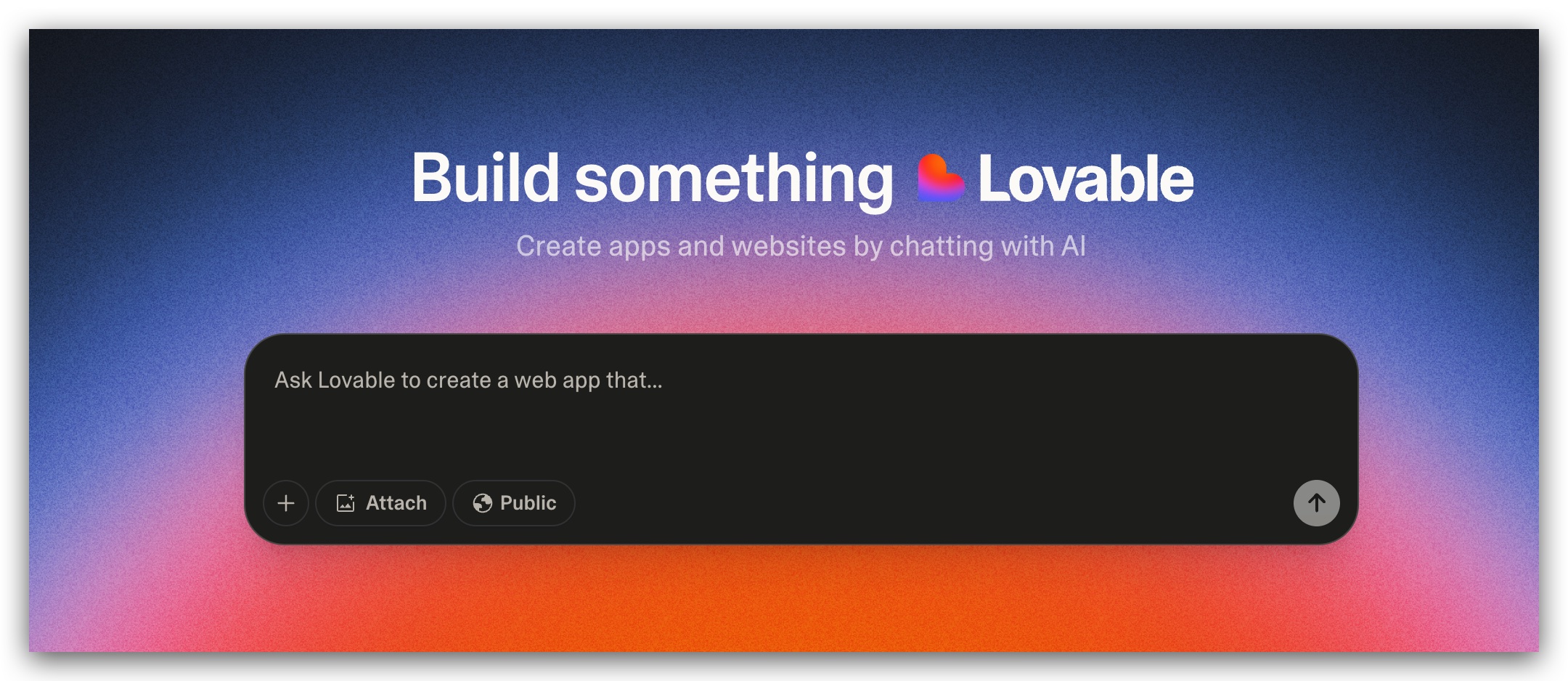
Lovable’s chat interface scaffolds a full-stack web app from a simple English prompt.
Overview
Lovable is an AI-powered “no-code” builder that transforms plain-English prompts into production-ready front-ends and back-ends—handling UI, database, auth, and hosting in one chat experience.
Key Features
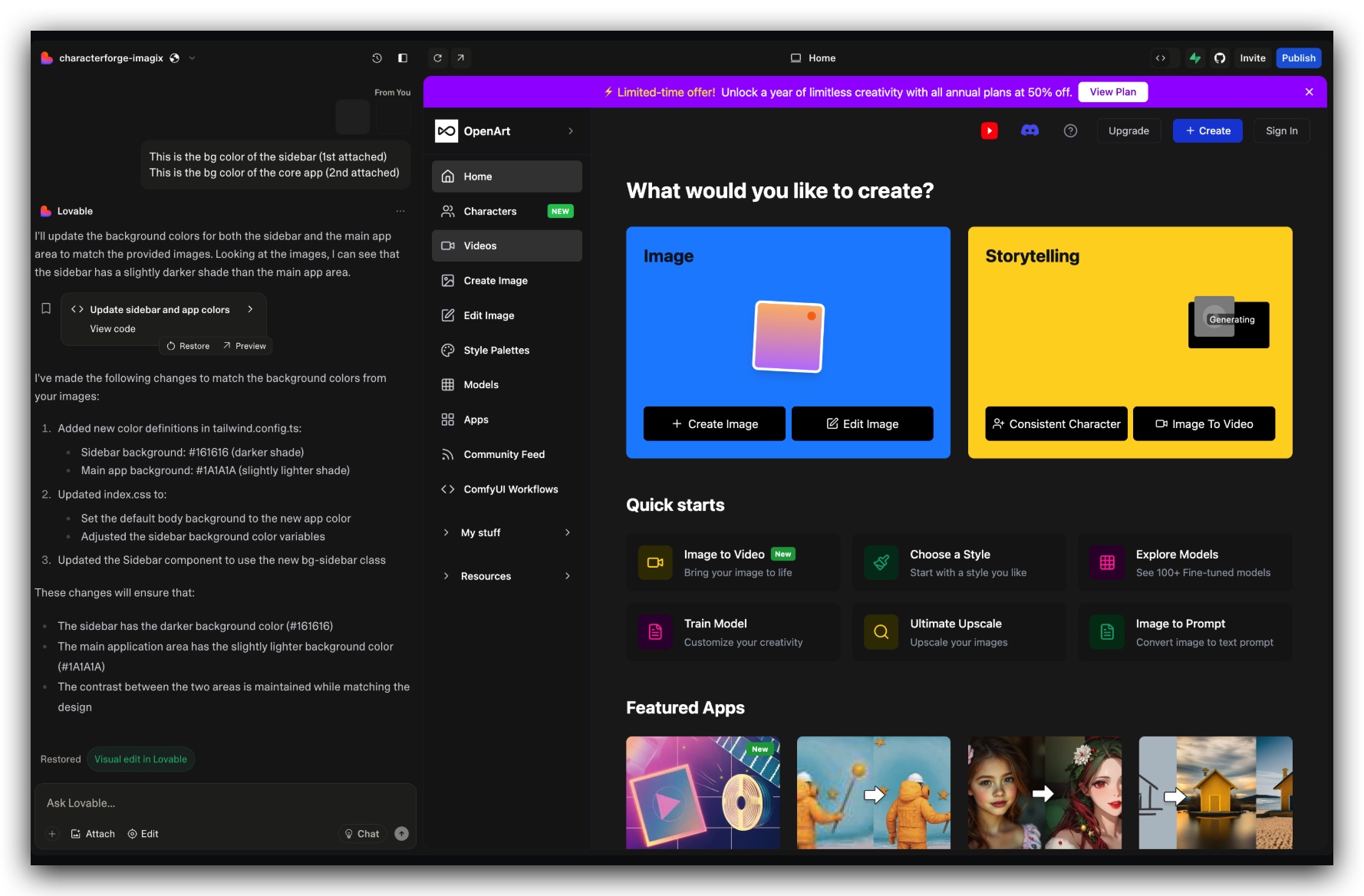
- Natural-language chat UI to generate full-stack code
- React front-end + Supabase back-end integration (with auth) t
- One-click deployment with SSL and custom domains
- Figma import to convert designs into code
- Multiplayer collaboration and role-based access controls
- Built-in security scanning for vulnerability checks
- Extensive example tutorials and project templates
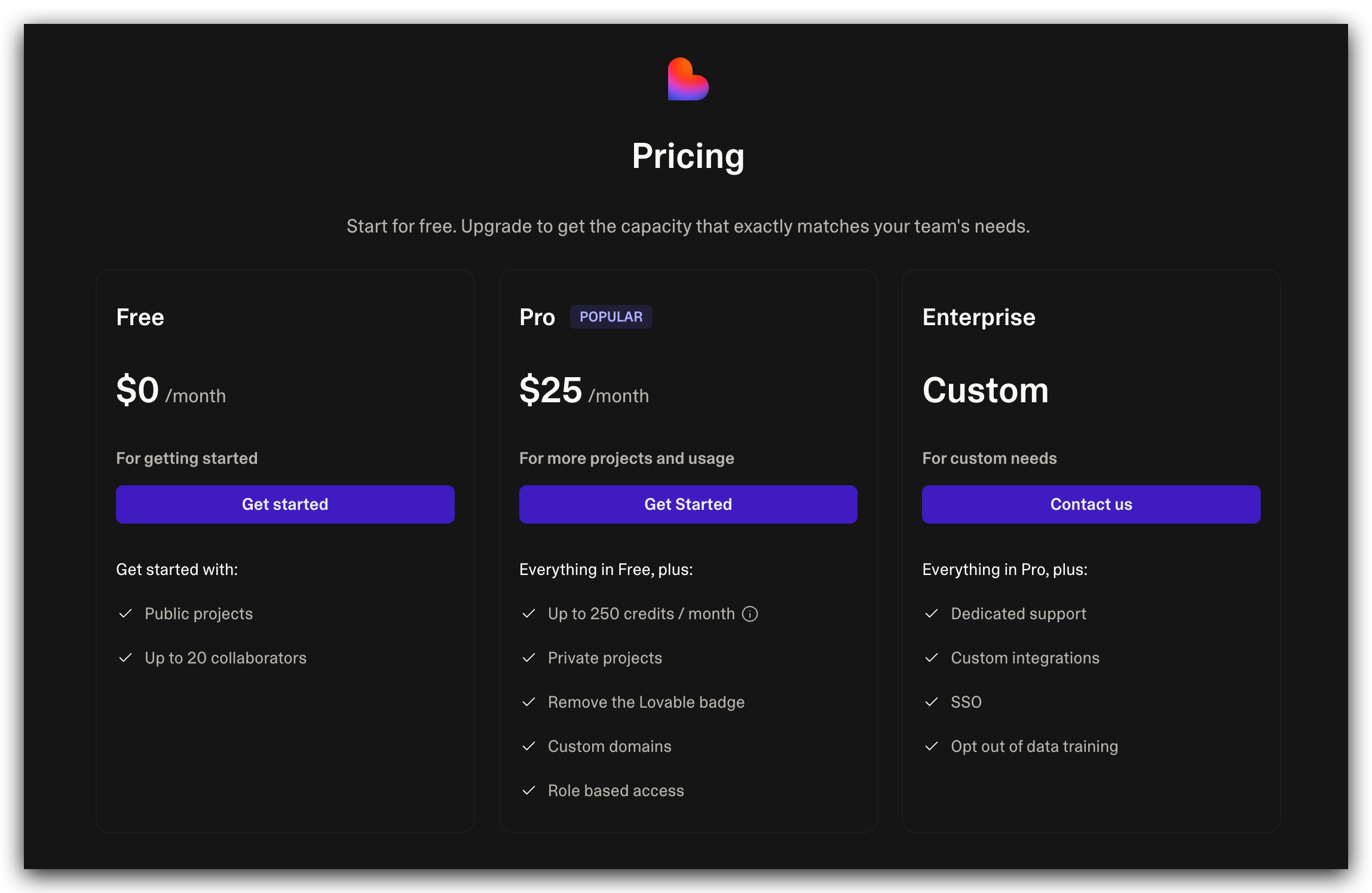
Pricing
Ideal For
Entrepreneurs and non-technical founders who need to launch zero-code MVPs fast.
Pros
- Extremely low barrier to entry for full-stack apps
- Powerful defaults for hosting, auth, and databases
Cons
- Limited control for advanced developers
- Watermark and credit quotas on free tier
Key Resources
- Official Site: https://lovable.dev
- Pricing: https://lovable.dev/pricing
- Documentation Overview: https://docs.lovable.dev/introduction
- How-To Guides: https://lovable.dev/how-to
- Integrations Docs: https://docs.lovable.dev/integrations/introduction
- Blog (Lovable 2.0): Introducing Lovable 2.0 – now smarter, multiplayer, and more secure
- FAQ: https://docs.lovable.dev/introduction/faq
Tempo
Caption: Tempo’s drag-and-drop canvas lets you visually edit React components and styles.
Overview
Tempo is an AI-driven design and development platform that accelerates React app creation through a visual editor, integrating seamlessly with existing codebases and Storybook components. It generates complete views from simple prompts and offers GitHub deployment options for an end-to-end workflow.
Key Features
- Visual drag-and-drop editor for React UIs
- AI-powered code generation from natural language prompts
- Storybook integration and custom library creation
- GitHub integration for seamless deployment
- VS Code compatibility for local edits
- Real-time collaboration and pre-built templates
- Early access to advanced features (reasoning, internet search)
Pricing
TierMonthly PricePrompts IncludedHighlightsFree$030 (max 5/day)Basic usage, free fixesPro$30150Extended prompts, premium featuresScale$50250For daily professional useUnlimited$500UnlimitedUnlimited prompts, enterprise-grade
Ideal For
Designers and React developers seeking visual collaboration with code control.
Pros
- Intuitive UI bridges design and code
- Seamless Storybook and GitHub workflows
Cons
- Prompt quotas can limit heavy use
- Learning curve for advanced features
Key Resources
- Official Site: https://tempo.new tempo.new
- Docs & Guides: https://tempolabsinc.mintlify.app/introduction
- Developer/API Docs: https://help.tempo.io/developers/latest help.tempo.io
- Blog: https://tempo.new/blog (e.g., AI Copilot for Product Managers)
- Mobile Apps (Expo): “Building Mobile Apps with Expo” guide https://tempolabsinc.mintlify.app/Mobile
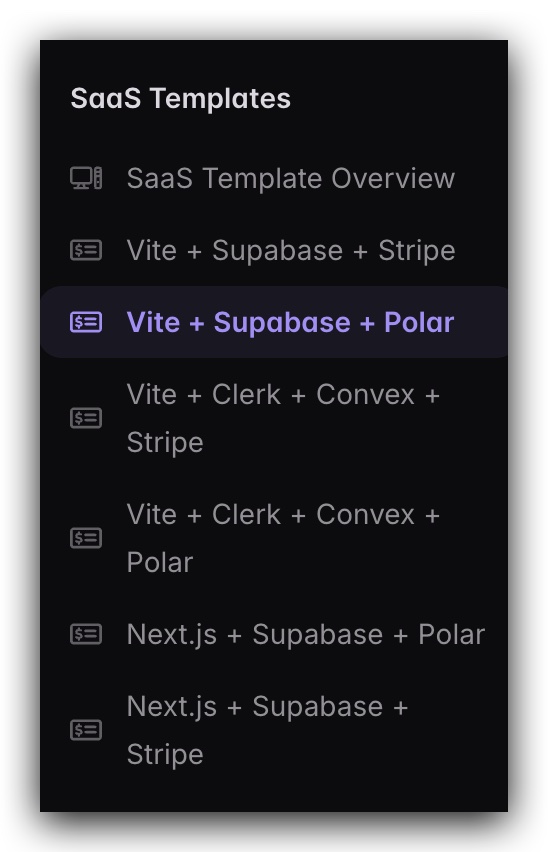
- SaaS Templates: Documentation under “SaaS Templates” in Mintlify nav tempolabsinc.mintlify.app
Replit
Overview
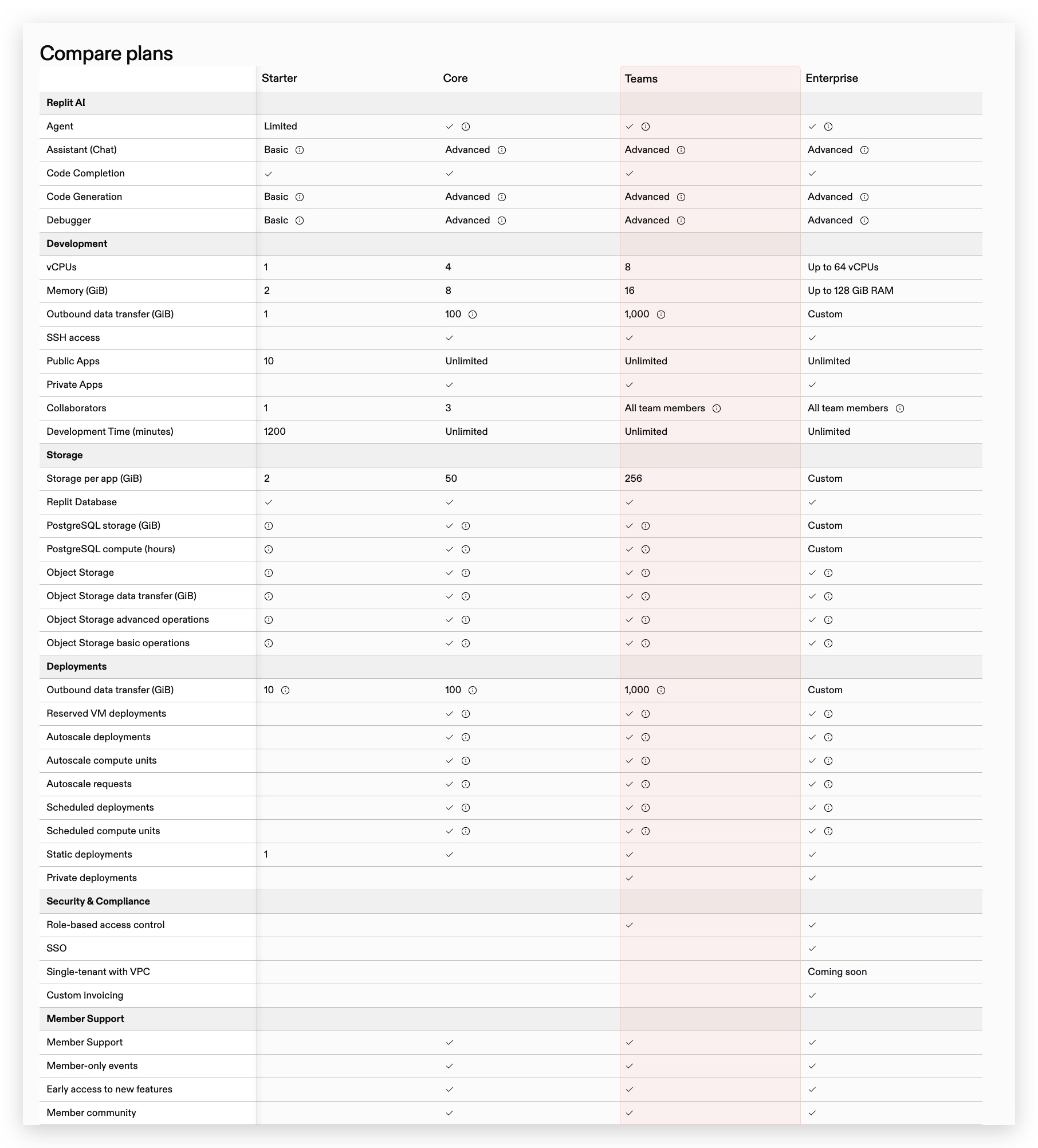
Replit is a browser-based IDE with built-in AI tools (“Replit Agent”) that offers code completion, generation, and debugging across 50+ languages.
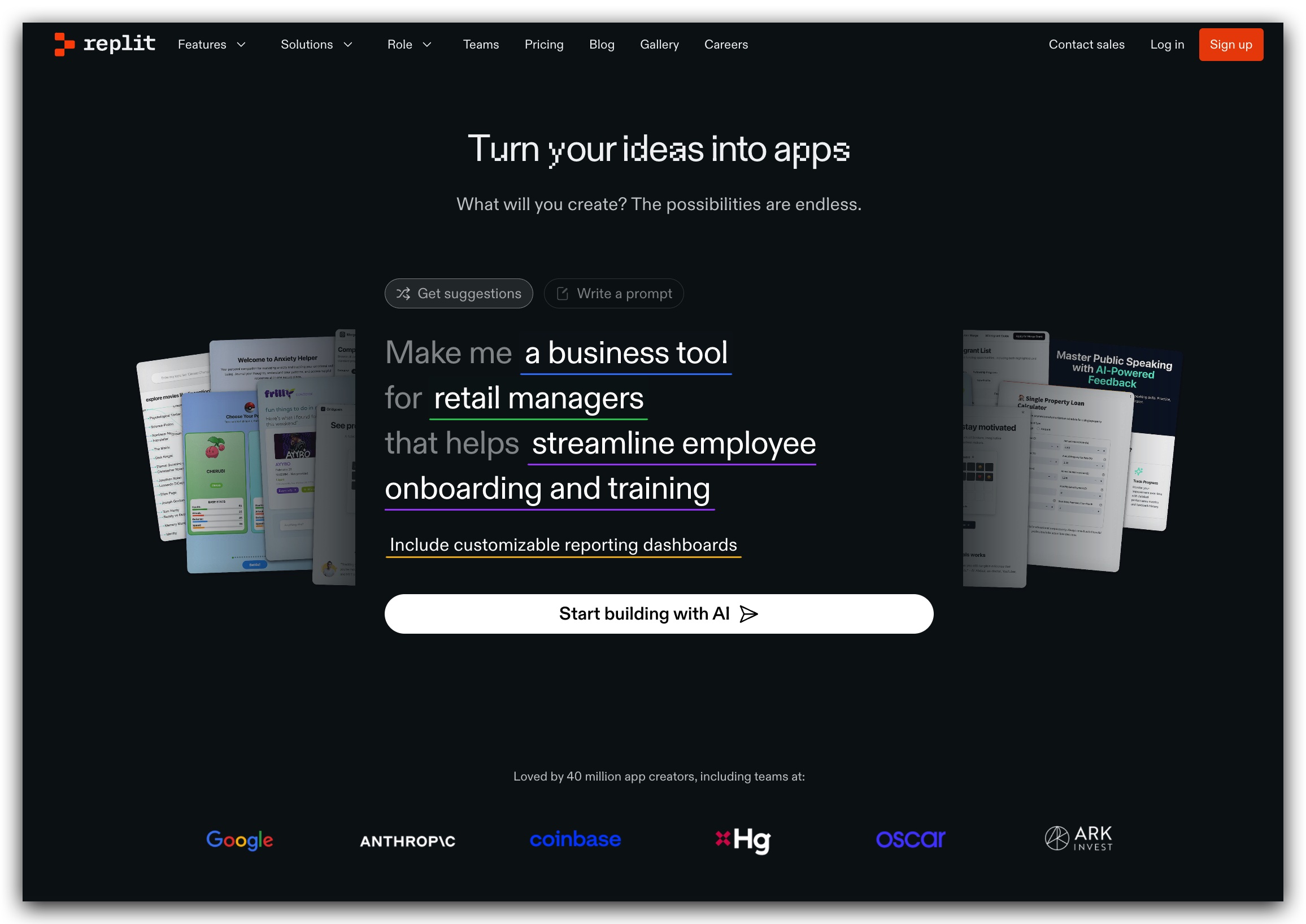
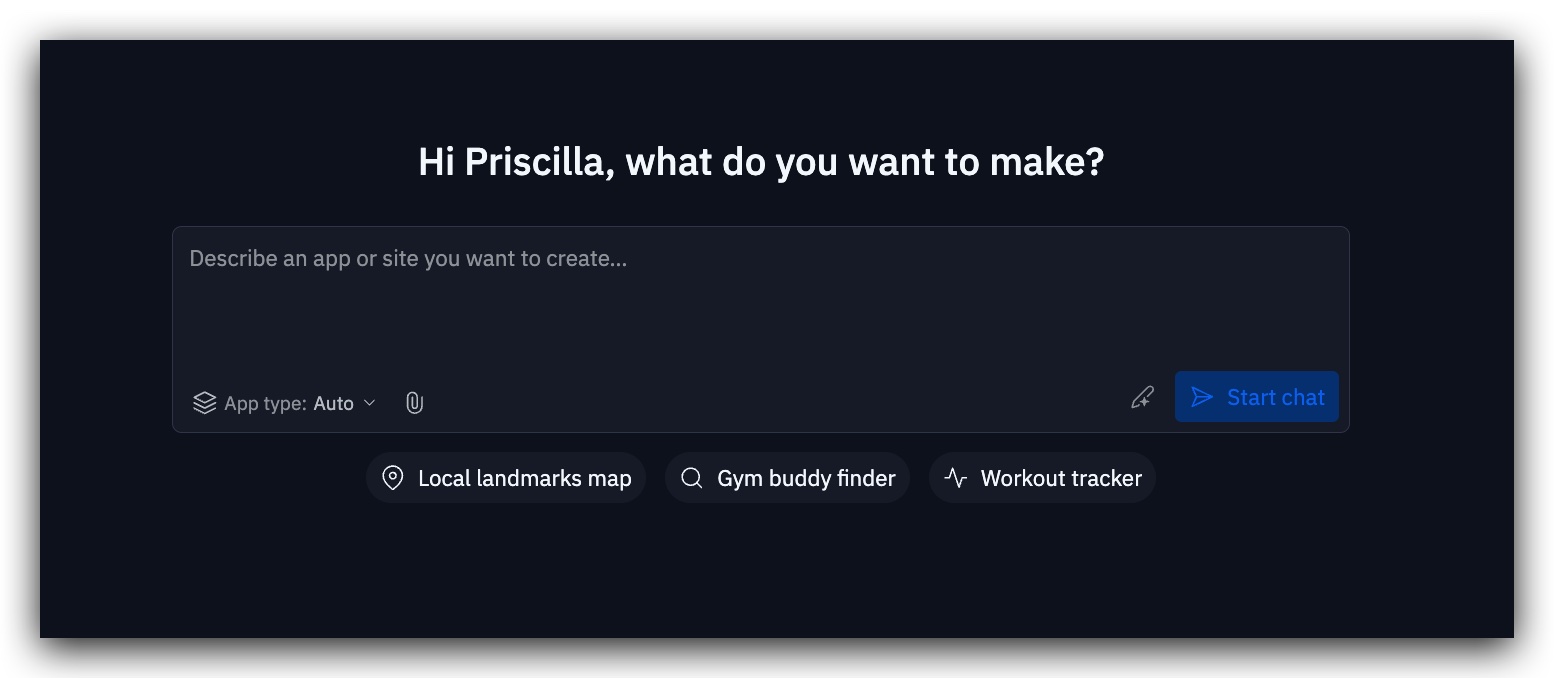
Its multiplayer mode and Autoscale deployments make it ideal for prototyping, education, and hackathons.
Key Features
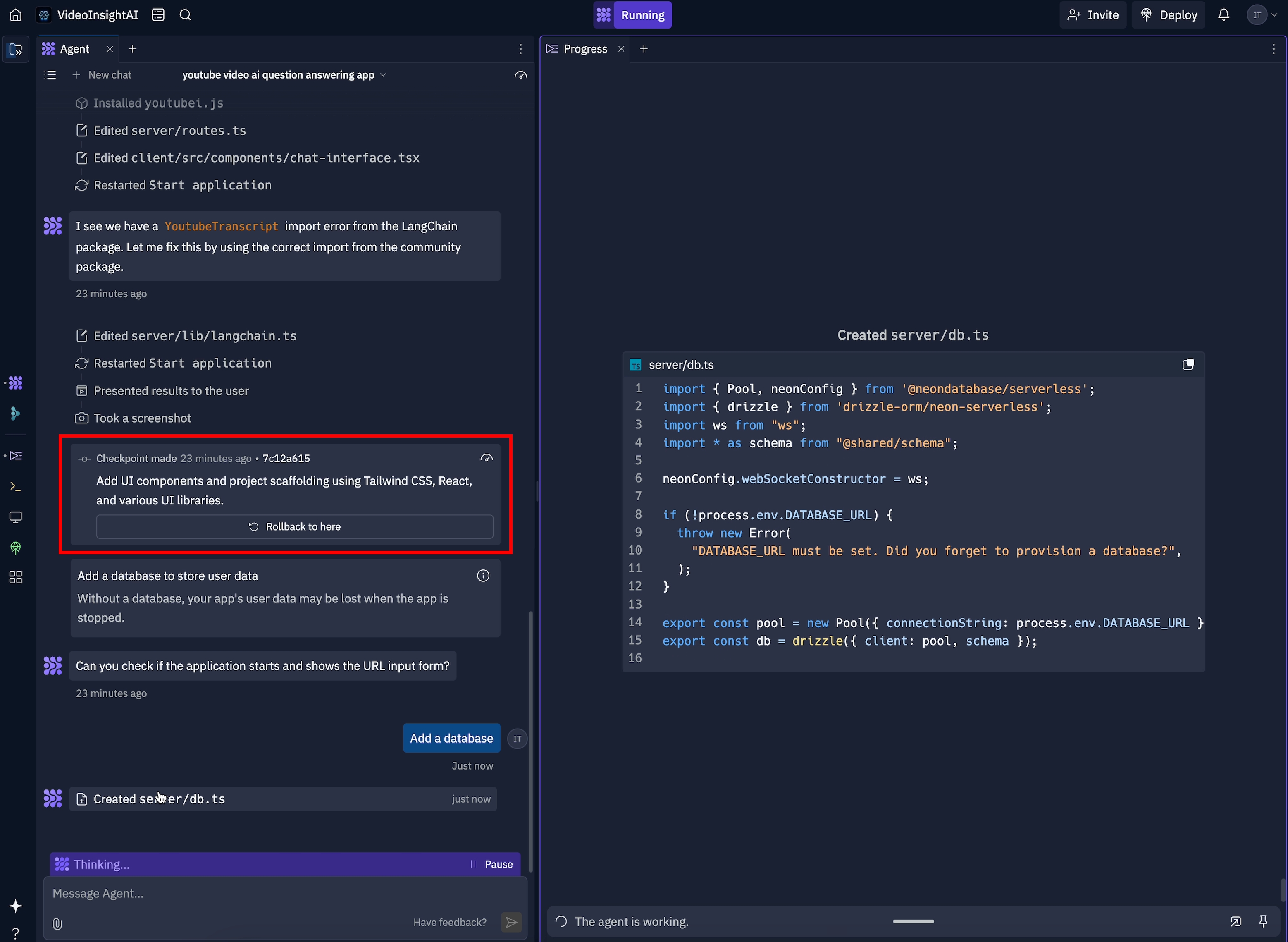
- Integrated AI assistant for code suggestions and debugging
- Real-time multiplayer collaboration
- One-click deployments (Autoscale, VM, static)
- Built-in database and object storage replit.com
- GitHub import for seamless version control
- Support for 50+ languages with zero setup
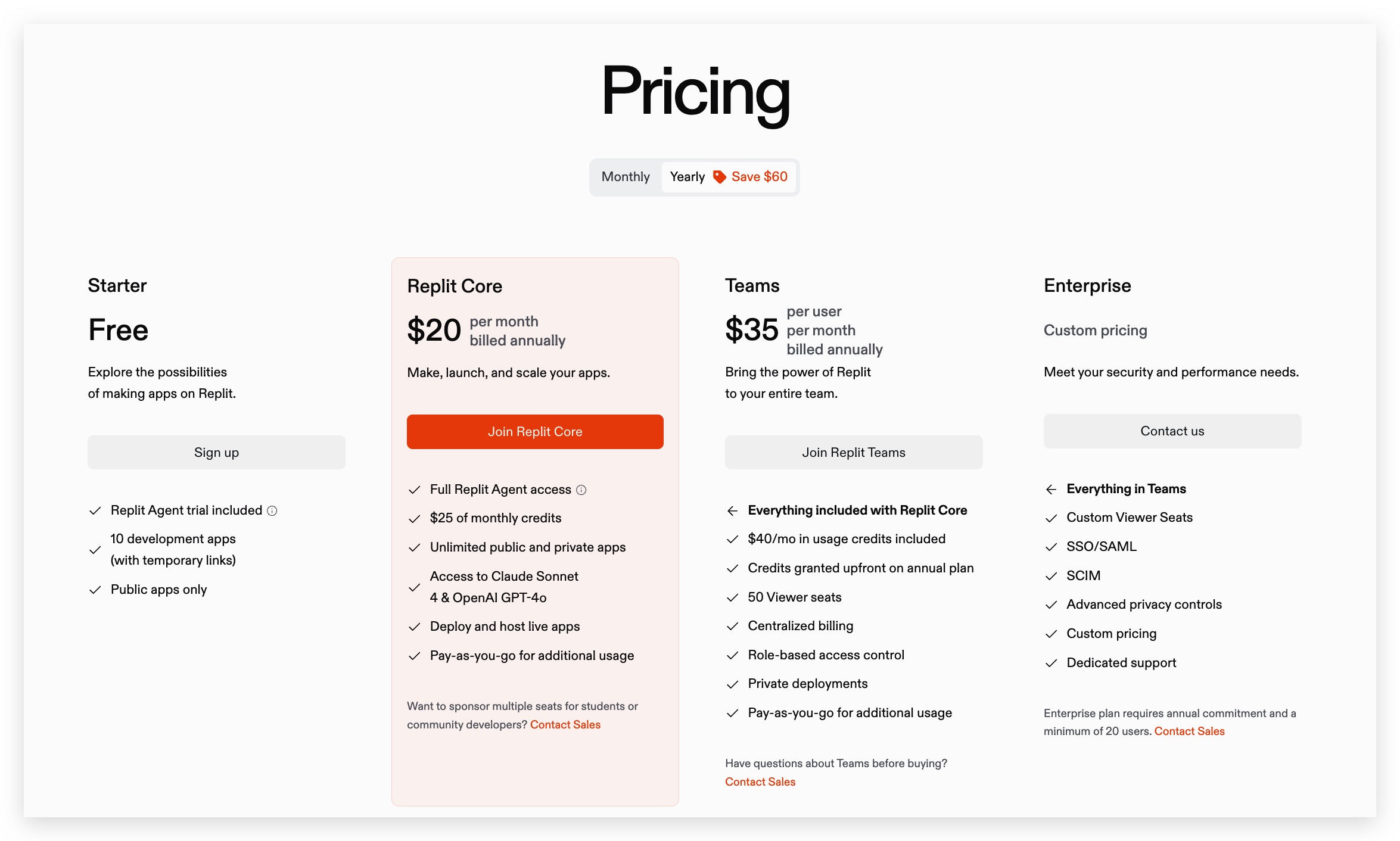
Pricing
Ideal For
Students, educators, and developers in hackathons need instant AI-driven prototyping.
Pros
- Rapid prototyping with minimal setup
- Robust AI features and team collaboration
Cons
- Dependent on internet connectivity
- Resource quotas on free and lower tiers
Key Resources
- Official Site: https://replit.com
- Pricing: https://replit.com/pricing
- Docs: https://docs.replit.com/getting-started/intro-replit
- Help Center: https://replit.com/help
- Guides & Quickstarts: https://replit.com/guides
- Vibe Coding Tutorial: https://docs.replit.com/tutorials/vibe-coding-101
- Support Forum: https://support.replit.com/hc/en-us
- Blog: https://blog.replit.com
Pythagora

Overview
Pythagora is an all-in-one AI development platform that uses 14 specialized agents to handle planning, frontend, backend, testing, and deployment—all via conversational prompts.
It offers code reviews and intuitive debugging to ensure production readiness.
Key Features
- Natural-language generation of frontends and UI components
- Automated backend logic and database model creation
- One-click deployments with production settings
- Intuitive debugging with automatic breakpoints
- AI-driven code reviews for quality assurance
- VS Code & Cursor integration for seamless workflows
- 14 AI agents automating the full dev lifecycle
Pricing

Ideal For
Full-stack teams and startups need end-to-end AI orchestration.
Pros
- Comprehensive end-to-end AI support
- Robust debugging and review features
Cons
- Higher entry price for solo developers
- Over-automation can reduce fine-grained control
Key Resources
- Official Site: https://www.pythagora.ai
- Documentation: https://docs.deployments.pythagora.ai/docs/getting-started/welcome-to-pythagora
- Blog: https://blog.pythagora.ai
- Examples & Case Studies: https://www.pythagora.ai/examples pythagora.ai
- GitHub: https://github.com/Pythagora-io/pythagora github.com
- Contact: hello@pythagora.ai blog.pythagora.ai
Cursor
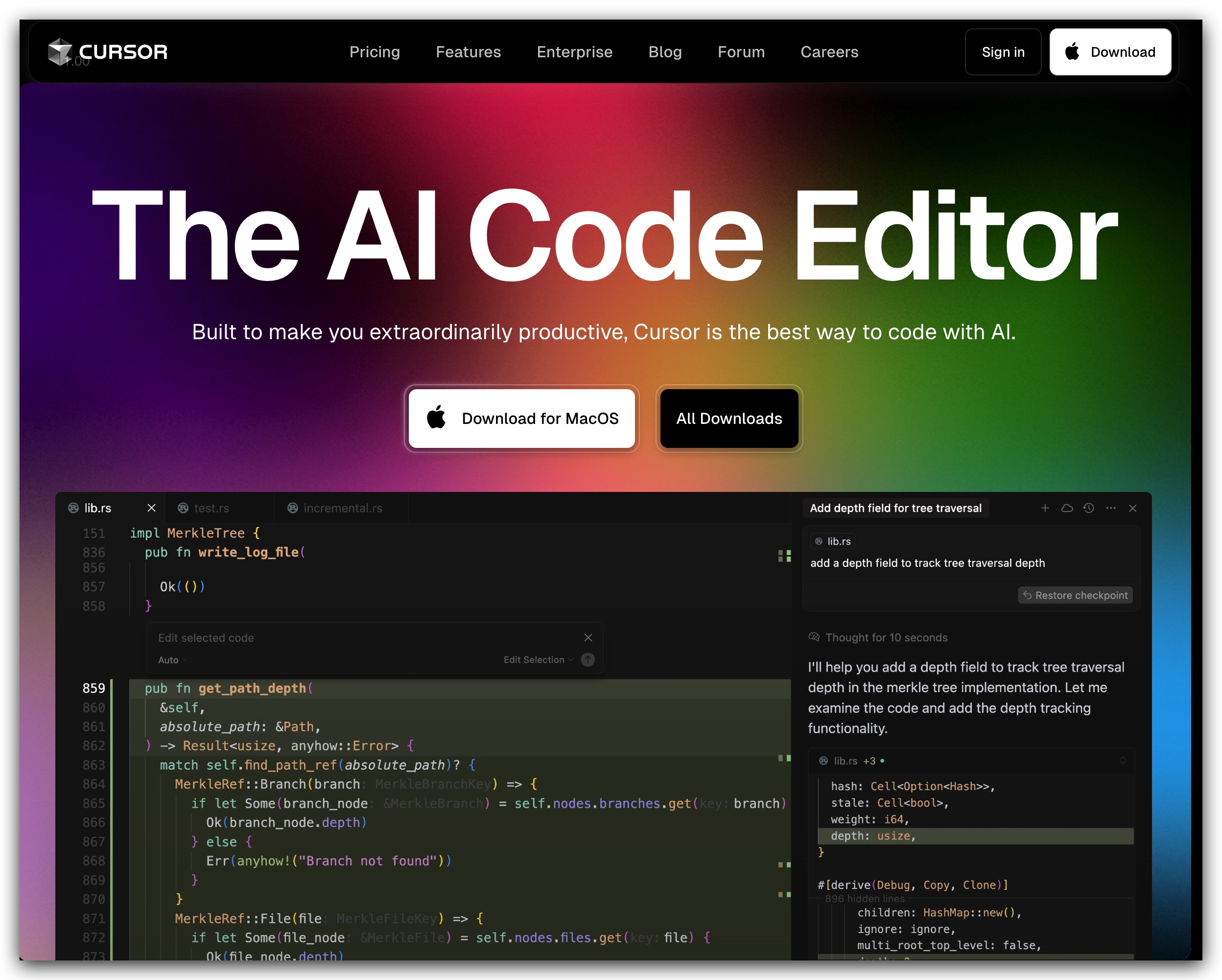
Cursor’s AI assistant (“Agent”) lives in your sidebar for code queries and edits.
Overview
Cursor is an AI-first code editor that combines traditional editing with purpose-built AI models. Its Agent sidebar lets you ask questions and apply changes across your codebase without context switching, while “Tab” offers deep autocomplete with large context windows.
Key Features
- Sidebar Agent for natural-language code queries and edits
- Tab: context-aware autocomplete and whole-diff suggestions
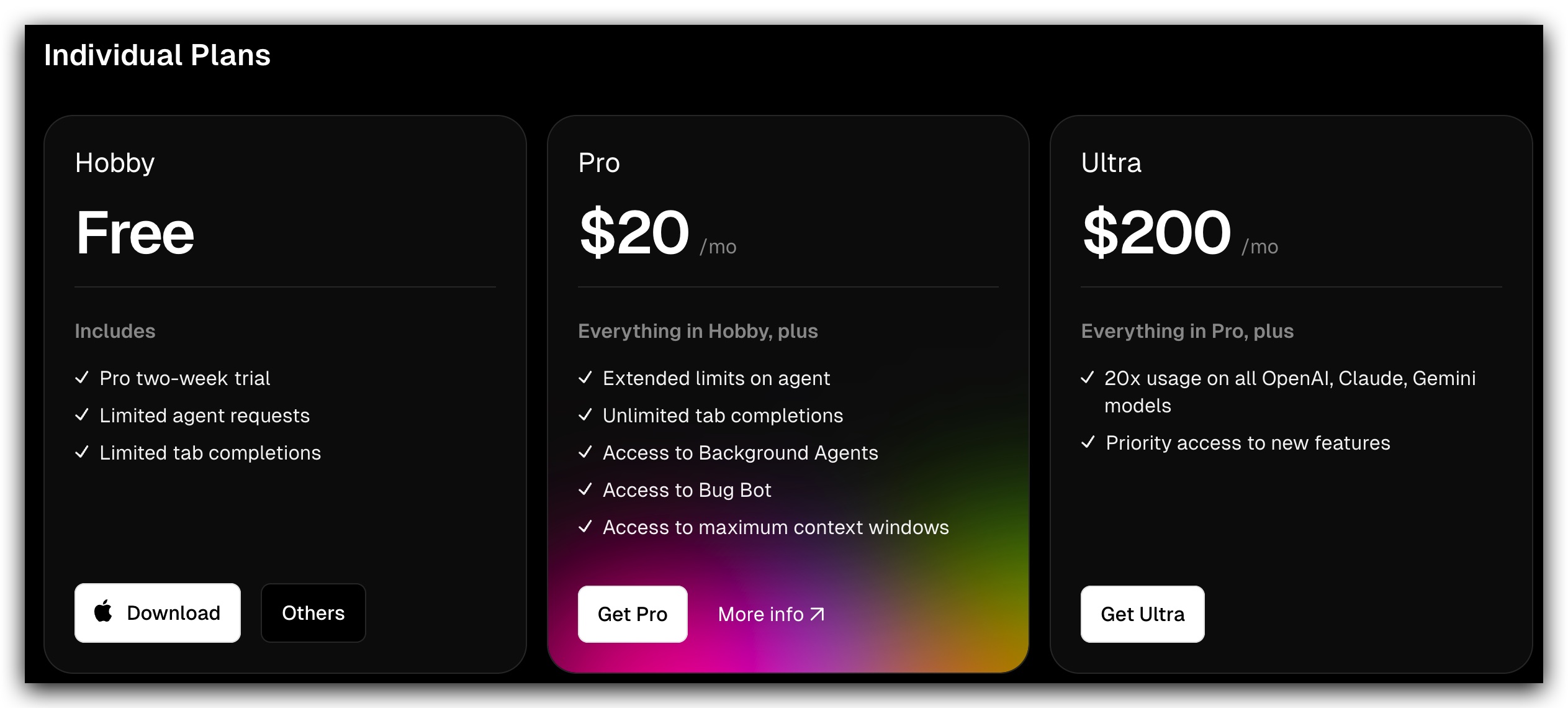
- Background Agents for Automated Workflows
- Bug Bot for AI-driven debugging assistance, Privacy Mode with SOC 2 compliance, and code-only data retention
- Familiar IDE experience: import VS Code extensions and themes
- Support for frontier models: Claude, OpenAI, Gemini
Pricing

Ideal For
Power users and enterprise teams need advanced AI-assisted code maintenance.
Pros
- Deep codebase integration with powerful refactors ft.com
- Robust privacy and compliance controls cursor.com
Cons
- Steeper learning curve for advanced Agent features
- Premium plans can be costly for small teams cursor.com
Key Resources
- Official Site: https://cursor.com
- Docs (Welcome): https://docs.cursor.com/welcome
- Complete Docs: https://cursordocs.com/en/docs
- Learn-Cursor: https://learn-cursor.com/en/docs
- Blog: https://cursor.com/en/blog/agent-web
- Forum: https://forum.cursor.com forum.cursor.com
- GitHub: https://github.com/cursor/cursor
- Pricing: https://cursor.com/en/pricing
Use-Case Scenarios
- Solo Entrepreneur
Alice, a non-technical founder, launches a prototype marketplace using Lovable, writing “I need a two-page marketplace with checkout” in the chat. Within hours, she has a hosted MVP and custom domain—no developers required. - Design-Heavy Team
The UX/UI team at a startup pulls in Figma mockups into Tempo, iterates on responsive layouts via drag-and-drop, and syncs code changes back into GitHub—all while collaborating in real time. - Coding Bootcamp Student
Javier, learning Python and JavaScript, spins up a Replit Repl in seconds. He leverages the AI Agent to explain code snippets, fix errors on the fly, and share live links with his mentor for instant feedback.
Conclusion & Recommendations
- Zero-code MVPs: Lovable shines for non-technical founders needing a full-stack app in record time.
- Visual React/Design Collaboration: Tempo bridges design tools and code, ideal for UI/UX teams.
- Classroom/Student Learning: Replit offers a gentle learning curve, AI explanations, and hackathon-ready features.
- Power Users & Enterprises: Cursor provides enterprise-grade AI refactoring, privacy controls, and scalable team management.
 Priscilla Xu
Leave a comment